Automate the work. Know it actually happened.
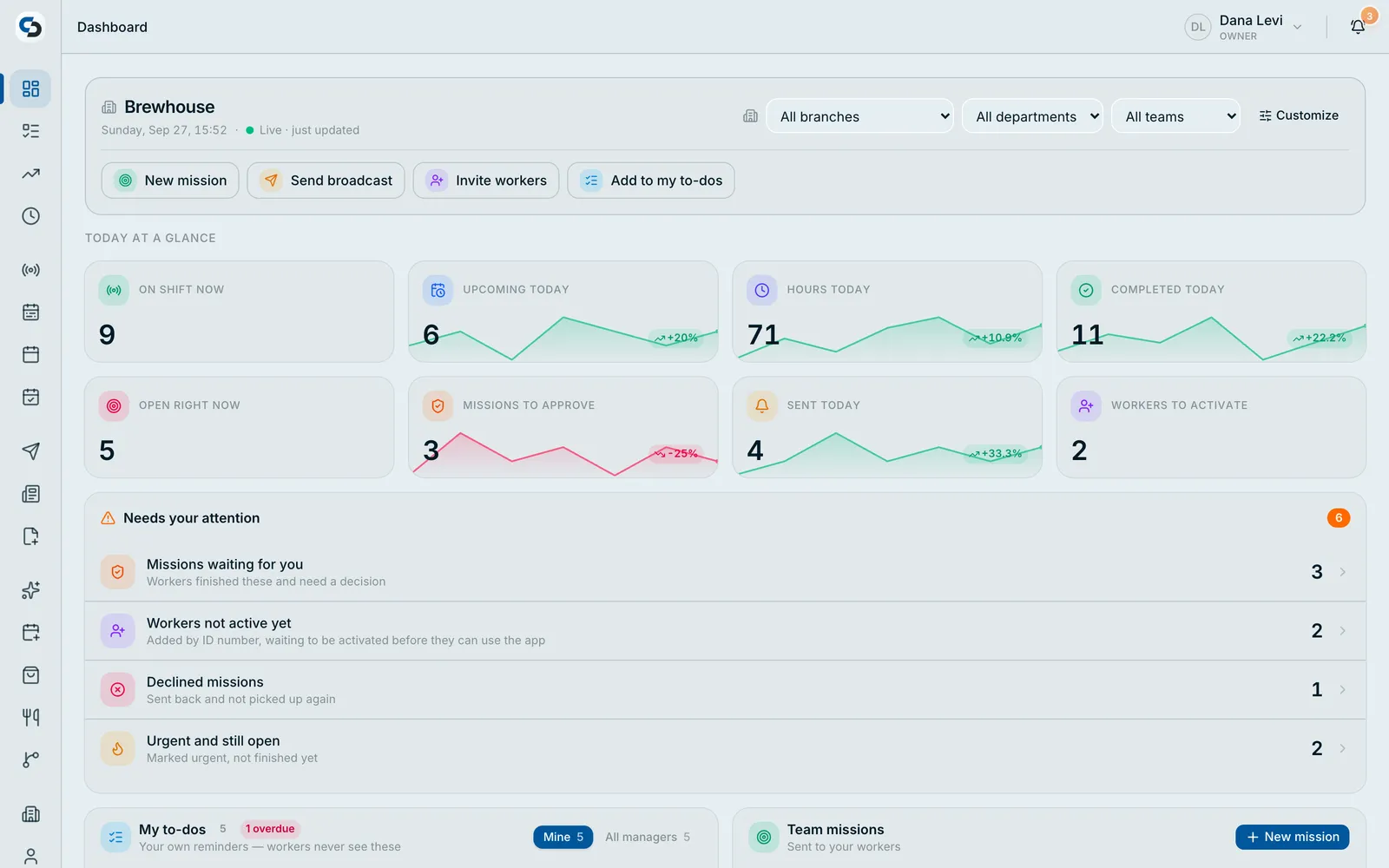
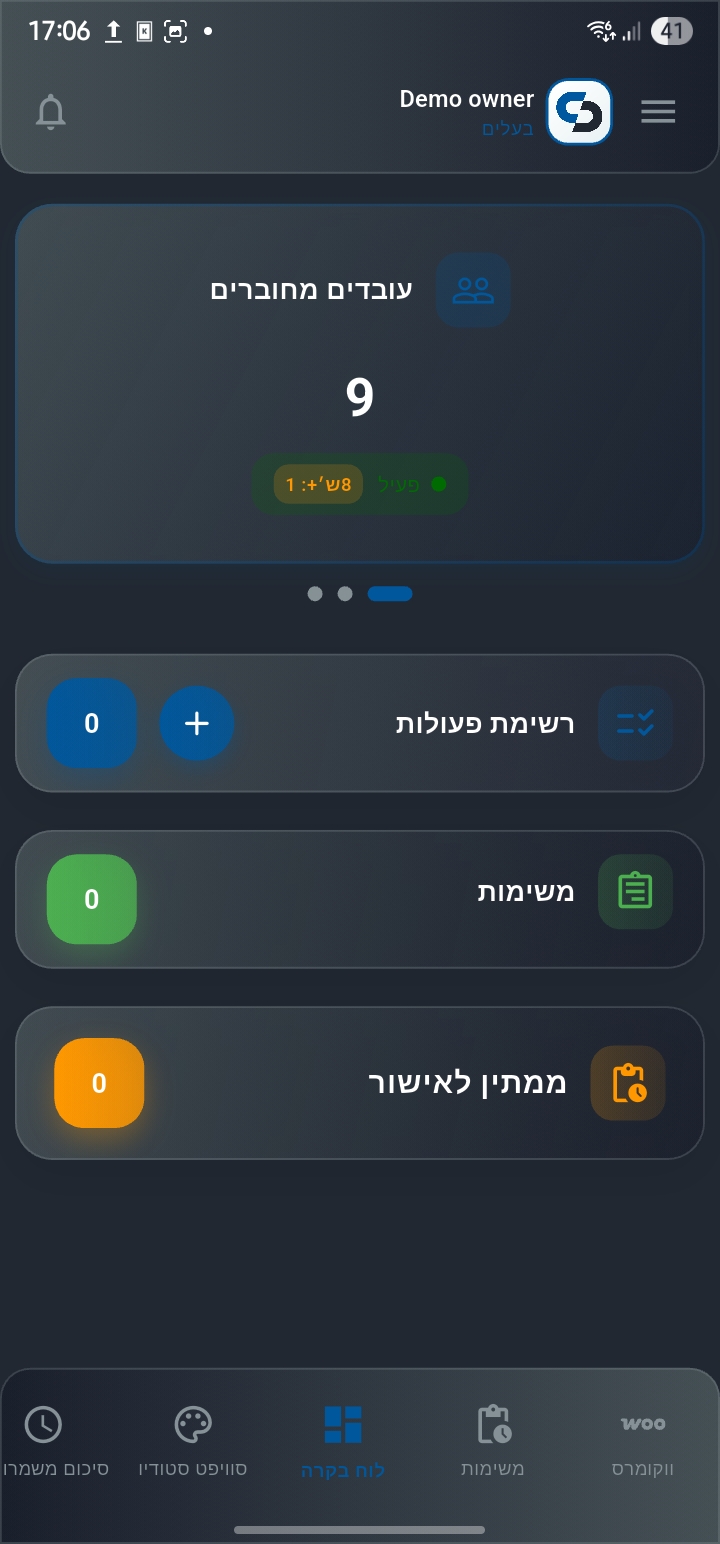
Shifts, tasks and approvals run themselves. Workers clock in only where the work is and send back photos as proof, so your dashboard shows what is really happening instead of what someone typed in.
Hire your AI management team.
A COO and five executives who read your business every week — money, sales, online store, team and bookings — ask what they need to know, and bring you the next step. You are the CEO.

COO
Leads your team · briefs you weekly
Your team · 1 of 6
- Each one watches one part of your business — and signs every suggestion.
- Hire only who you need; the COO leads whoever you pick.
- Your data stays your business's — never shared with anyone else.
You run a digital platform. Your work happens in the real world.
Orders, bookings and jobs arrive through your system. People fulfil them on the ground. SwiftCrew is the layer between the two.
Work arrives digitally
Orders, bookings, jobs and leads land in your platform on their own, from your store, your site and your customers.
People deliver it physically
Staff on the floor, on the road or on-site do the actual work. Software can schedule it. Only a person can perform it.
You manage from a dashboard
You're not standing on the floor watching. You need to know what's happening without calling someone to ask.
The gap nobody covers
Your system says the job is done. Only the person on the ground knows whether it really is. Was someone there? Did they start on time? Did the work actually get finished? All of that reaches you as a message, a phone call, or a guess.
SwiftCrew closes that gap, automatically.
If that describes your business, the industry label matters less than the shape of the problem.
The real product. Not a mock-up.
This is the SwiftCrew web console your managers work in every day, on a computer, with your team on their phones.
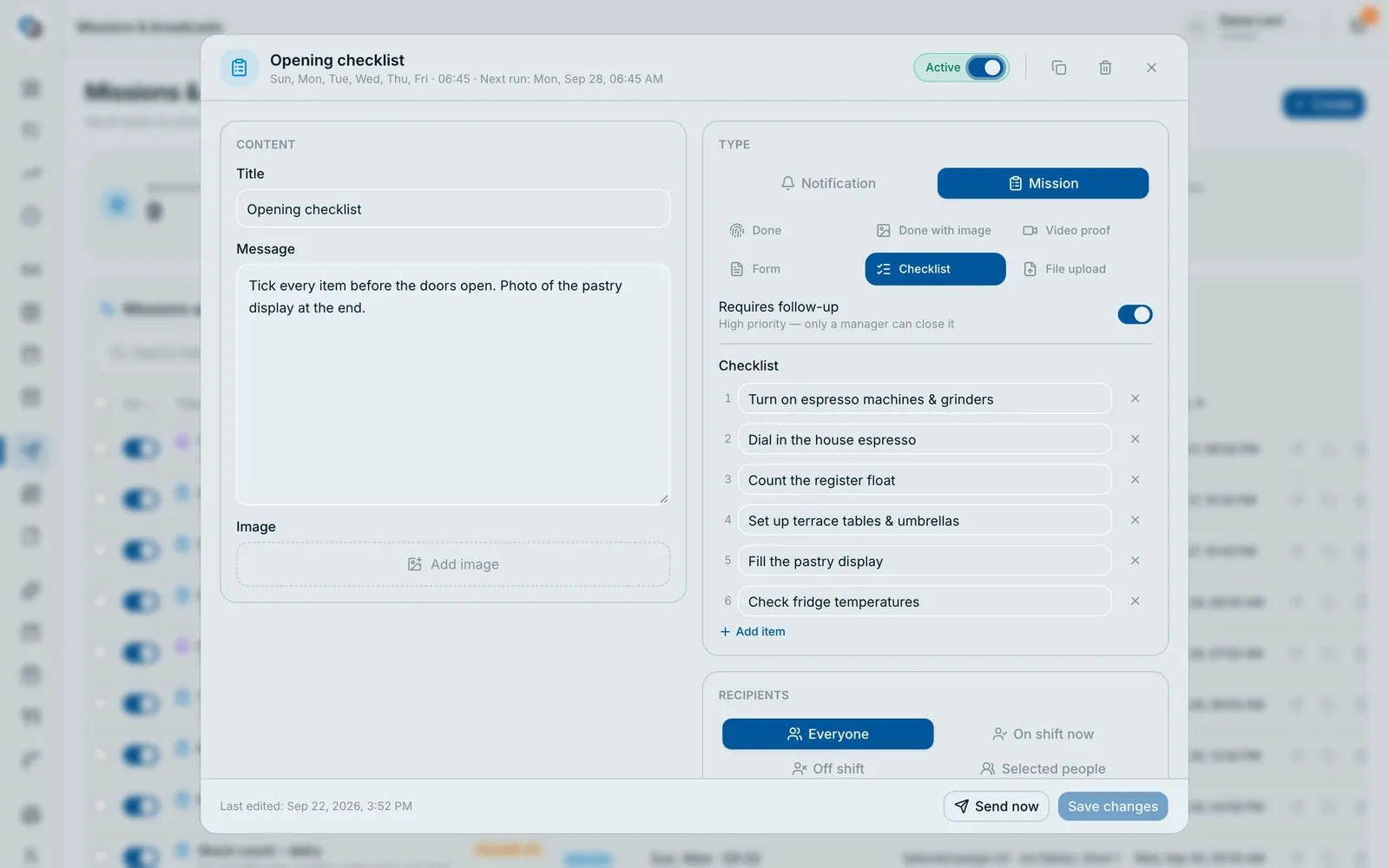
Set it once. It runs every day.
Opening checklists, closing photos, weekly deep cleans and reminders go out on their own, to exactly the right people, and come back with proof.
- Repeat daily, on chosen weekdays or monthly, at the time you pick
- Send to everyone, whoever is on shift, a job title or specific people
- Ask for a photo, video, checklist, form or fingerprint as proof
- Pause, duplicate or edit dozens of automations in one go
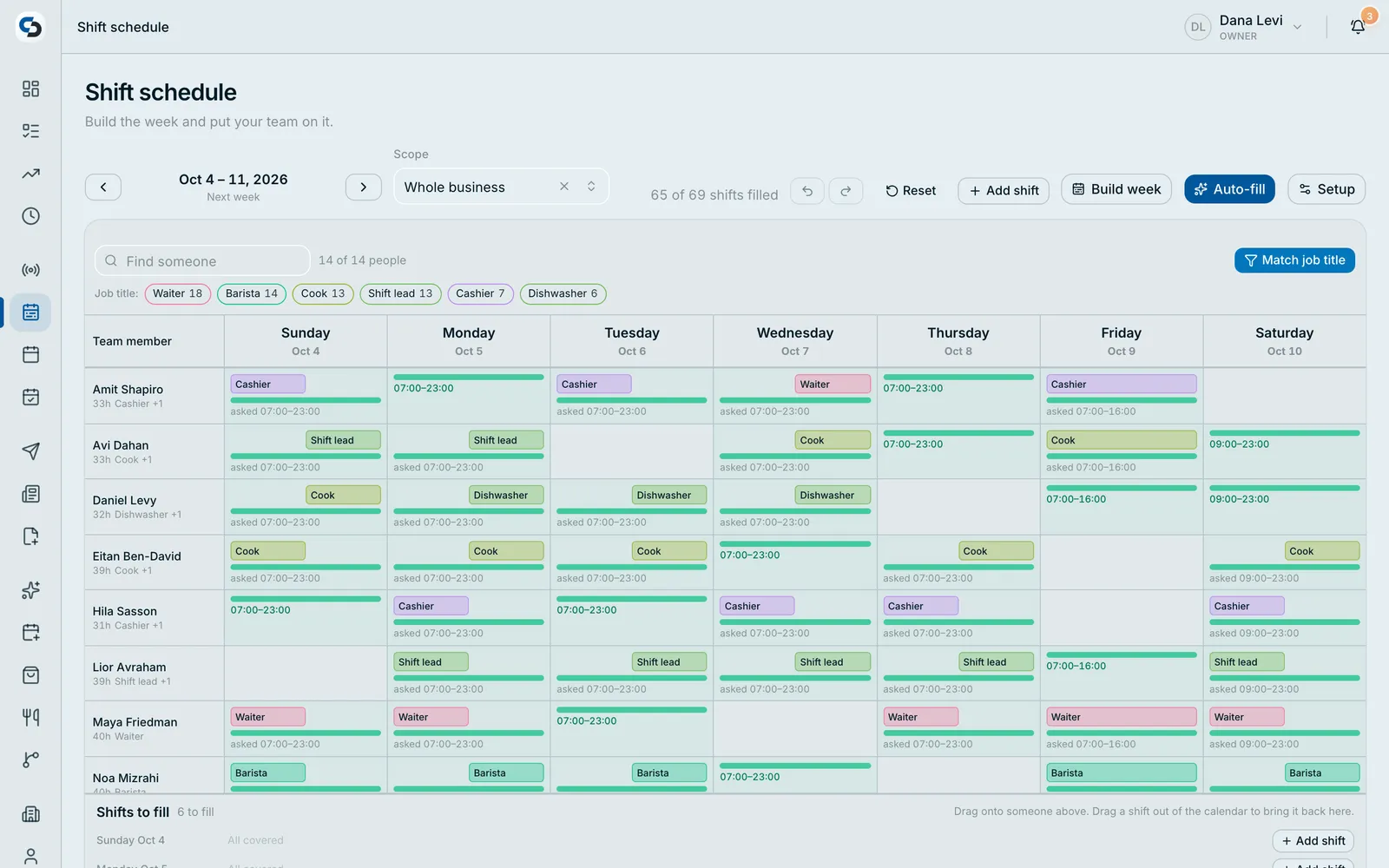
Next week, built in minutes.
Tell SwiftCrew how many people you need each hour, and by job title. It builds the shifts and fills them with the right people, and your team sees them in the app.
- Staffing needs per day, per hour and per job title
- Build the week automatically from your own rules
- Fill open shifts fairly, with limits you control
- Per branch, department or team
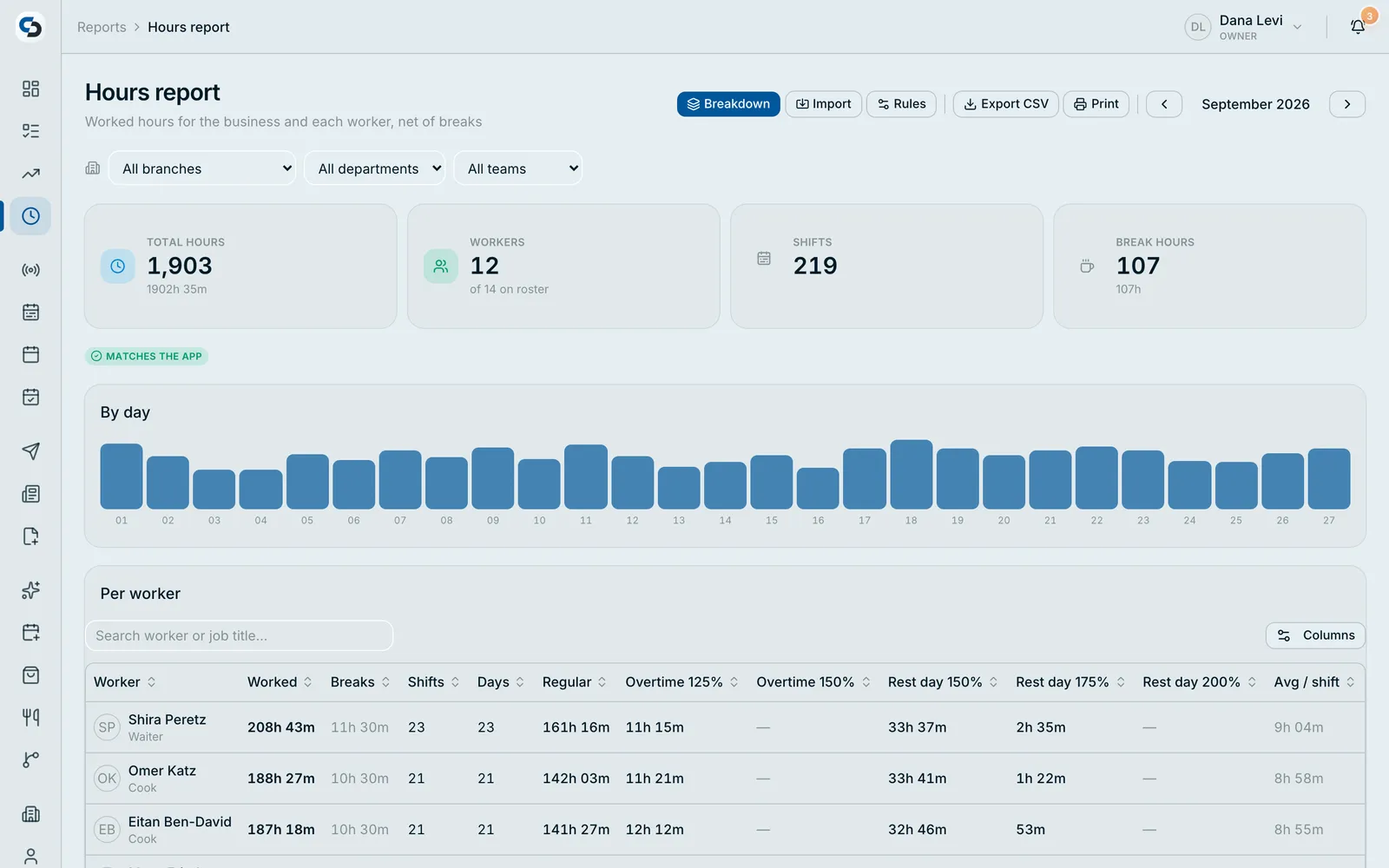
Payroll-ready hours, without the spreadsheet.
Every clock-in and clock-out lands in one monthly report, net of breaks, with your pay rules already applied.
- Hours per worker, per day and per shift
- Overtime and pay rules calculated for you
- Fix a forgotten clock-out in seconds, with a clear edit mark
- Export to CSV or print for your accountant
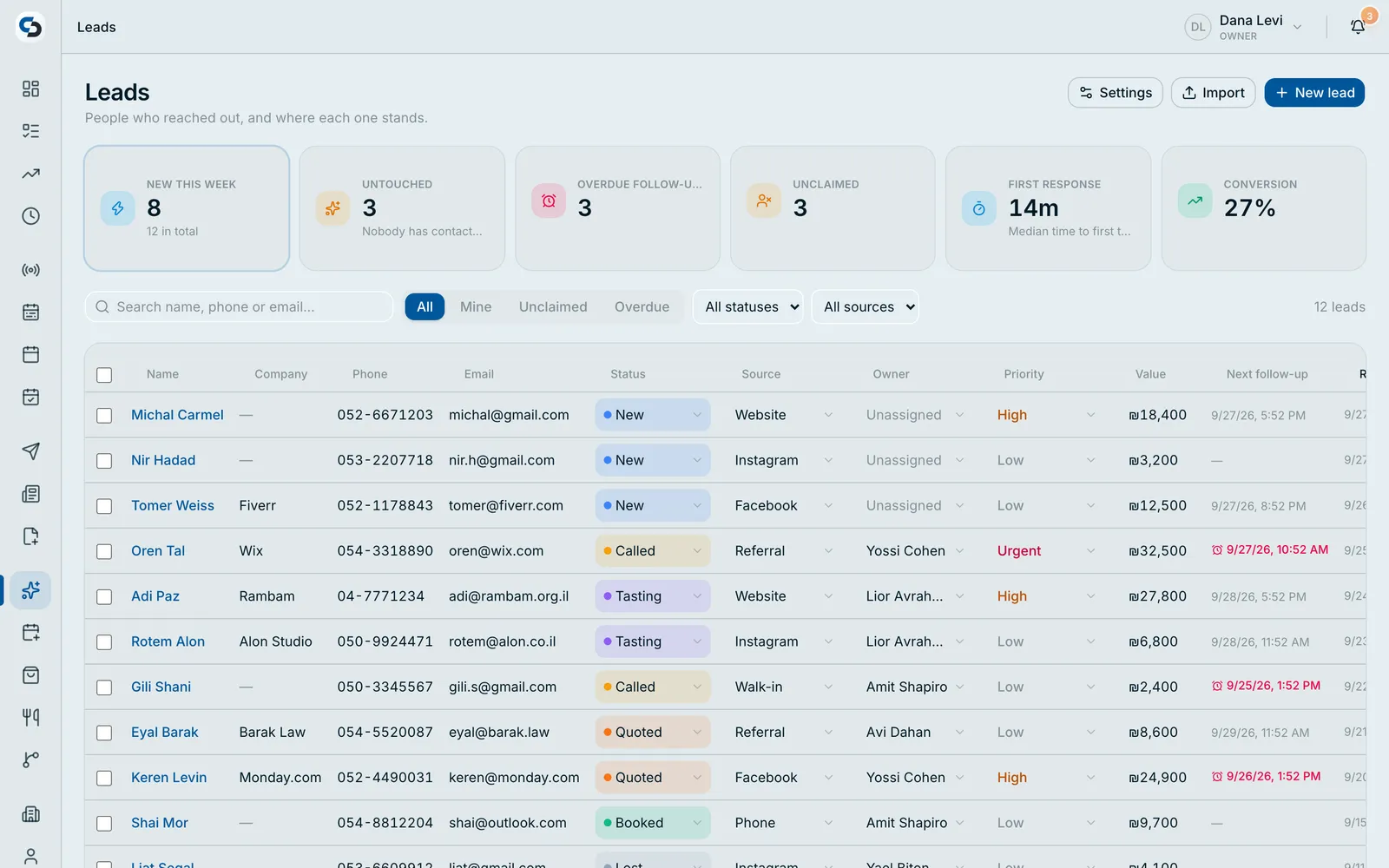
Every lead in one table. Nothing slips.
Leads from your ads, your website and your team land in one list, where status, owner, source and priority change right in the row.
- Change status, owner or priority straight from the list
- Import a spreadsheet: columns are matched for you
- Hand leads out in turns, at random, or to one person
- Give each customer a private page for documents and signatures
The routine runs itself. You watch what matters.
SwiftCrew automates the scheduling, dispatch, chasing and reporting that eat your day, and keeps an honest record of what actually happened.
Automated Scheduling
Build the week once and let it run. Conflicts resolve themselves, coverage gaps surface before they hurt you, and forgotten clock-outs close automatically.
Learn moreCheck-in Where the Work Is
Geofence and Wi-Fi rules decide where workers can clock in, for the whole business or a single team. Outside the rules, the app doesn't let them clock in.
Learn moreMissions & Approvals
Assign work that tracks itself. Photo and video confirmation, checklists and forms, and an approval step before a task counts as done.
Learn moreWorkflows That Chase For You
Approvals, escalations, reminders and end-of-day reports fire on their own. Nobody has to remember, and nobody has to follow up.
Learn moreTeam Hierarchy & Roles
Organize by business, branch, department and team. Five role levels from owner to worker, each seeing exactly what they should.
Leads & Customer Portal
Capture leads from your ads, your site and your own lead page, route them to whoever is on shift, and give every customer a private portal for documents and e-signatures.
Learn moreReal-Time WooCommerce
New orders ring your team like a phone call. Pick, weigh and swap with the customer's approval, then charge the exact final amount.
Learn moreLive Dashboards & Reports
Worker counts, shift summaries and performance metrics update as work happens, with exports when you need them on paper.
Your store rings. Your team picks up.
Every new WooCommerce order calls your team's phones like an incoming call, even on a locked screen. They pick it, weigh it, swap what's missing with the customer's approval, and charge the exact final amount. No missed orders, no overcharging, no refunds to chase.
01
The order rings
A new order rings like a phone call on the phones you choose: the owner, 24/7 staff, or only whoever is on shift right now. Nobody has to keep WordPress open.
02
Pick, scan and weigh
Scan each item as it's picked and enter the real weight. Per-kilo prices update instantly, promotions apply themselves, and several pickers can work the same order together, live.
03
Swap with the customer's OK
Out of stock? Propose a replacement. The customer approves or declines from a link on their phone, with no login, and the order can't close until they answer.
04
Charge the real total
The card is held at checkout and charged only when the order is final, for the exact edited amount: weighed items, swaps, extras and discounts included. Changes sync back to your store.
05
Out the door
Assign a driver, follow the order from ready to on the way to delivered, and let the customer know it's ready.
SwiftCrew
Incoming order…
Order #1284
Dana Levi · Delivery
14 items · $318.40
Order #1284 · Final
EditedWorks with your payment provider
Hold the amount at checkout, charge the final total after the order is edited (J5). Already working with a clearing company? We connect your provider for you, so every charge runs through the account you already have.
Built for supermarkets, butchers, bakeries, delis, pharmacies and any store that sells by weight or substitutes items.
Every lead answered. Before your competitor calls back.
Leads from your ads, your website and your own lead page land in one place, reach the right person's phone in seconds, and get followed up until they close. Your team works every lead from their pocket, and you see exactly who's converting.
Leads arrive from
Your lead page, live in minutes
A page at your own address with an inquiry form built from your fields, plus appointment booking. English, Hebrew and Arabic out of the box. No website needed.
Routing that knows who's working
Round-robin across the team, a first-to-claim queue, or alerts only to whoever is on shift right now. No lead waits for someone who's off.
Leads that become tasks
When a lead arrives or reaches a stage, assign it and put a task on someone's phone, like “Call Dana and record the outcome”, with a form they fill in.
One tap to call, WhatsApp, SMS or email
Saved message templates with the customer's name filled in, and every contact logged to the lead's history automatically.
Follow-ups that never slip
Scheduled reminders with snooze, overdue follow-ups that stand out, and a flag on any lead with no activity for 7 days.
A private portal for every customer
Share quotes and documents, collect e-signatures, and let customers update their own details, behind their own password.
New lead from Facebook
Dana Levi · Kitchen renovation quote
New task
Call Dana and record the outcome
This month's pipeline
25% converted
Your pipeline, your way: custom stages, fields, products and deal values, with conversion rate and team performance on your dashboard.
Start capturing leadsNo passwords. So no account takeover.
A password, a code, a login. Every one of them can be handed to someone else. That is how accounts get taken over, and how the wrong person ends up marked as present. SwiftCrew removes them from the equation. Each action is authorized by the person themselves, and cannot be transferred to anyone.
Nothing to steal
There is no password, code or session sitting anywhere to be phished, shared, sold or reused. An attacker has nothing to take.
Tied to the person, not the account
Authorization comes from the individual, on their own device, at the moment they act. It cannot be lent to a colleague or a stand-in.
Every action is accountable
Each shift, check-in and approval keeps a permanent record of who authorized it and when. Any dispute can be settled by checking the record.
A login tells you which account was used. Yuthent tells you which person acted.
 Powered by YuthentExecution Authority Infrastructure
Check-in authorized
Dana M. · Central branch
Plans That Scale With Your Business
Start small, grow big. No hidden fees, no surprises.
Starter
Perfect for small teams
- 20 workers included · $5 per extra worker
- Smart time clock with GPS, Wi-Fi & biometric
- All mission & task types
- Scheduling & automation
- Dashboards, reports & API access
- 1 module: WooCommerce, Leads CRM or Meetings
- Owner access · Email support
Professional
For growing businesses
- 50 workers included · $4 per extra worker
- Everything in Starter
- Up to 2 modules
- Advanced roles: branch & department managers, team leads
- Priority email support
Enterprise
For large organizations
- 100 workers included · $3 per extra worker
- Everything in Professional
- All 3 modules (WooCommerce + Leads CRM + Meetings)
- Real-time worker tracking on a live map
- Unlimited roles
- Priority support + onboarding
All plans include a 14-day free trial. Prices in USD. Pay monthly, or pay yearly and get 2 months free.
Answers before you ask
The things people check before starting a trial.
What's the difference between the plans?
Every plan includes the core: time clock, scheduling, missions and reports. What changes is how many workers you can manage and how many modules you get. Starter covers 20 workers and one module, Professional 50 workers and two modules, Enterprise 100 workers with all three plus real-time worker tracking.
Can I add more workers than my plan includes?
Yes. Extra workers cost $5 each per month on Starter, $4 on Professional and $3 on Enterprise. You are never blocked from growing.
What are modules, and can I change mine later?
There are three: WooCommerce integration, Leads CRM and Meetings. Starter picks one, Professional picks two, Enterprise gets all three. You can change your selection at any time.
Can I edit an order after the customer has paid?
Yes. With authorize-then-charge (J5), the card is held at checkout and charged only once the order is final. Your team can weigh items, change quantities, add or remove products and swap items with the customer's approval, and the customer is charged the exact final amount.
Which payment providers do you support?
Order editing works with authorize-then-charge (J5) payments. If your store already works with a clearing company, we connect that provider for you as part of onboarding, so charges keep running through your existing account.
Where do leads come from?
Facebook and Instagram lead ads, Google Ads lead forms, your own website through our API, your SwiftCrew lead page, or added by hand. They all land in one pipeline and reach the right person's phone in seconds.
Is there a free trial?
Yes. Fourteen days with full access to the plan you choose, and no credit card needed to start.
Ready to see what's really happening?
Start your free trial in minutes. No credit card, no setup headaches. Already with us? Just sign in.